
On February 29, 1996, a copper smelter in British Columbia shut down because its control software did not know what to do with leap day. Then, in 2012, many Gmail users saw wrong dates on messages, since some date code broke when leap years showed up. These aren’t rare “edge cases” either, because everyday systems run on time rules that humans rarely think about until they fail.
So what are leap years and leap seconds, in plain terms? Leap years add an extra day, February 29, so our calendar stays lined up with Earth’s orbit around the sun. Leap seconds are different, they adjust Coordinated Universal Time (UTC) by adding a small “extra tick” when Earth’s rotation drifts, so clocks keep closer pace with the planet’s wobble.
You might wonder how computers, phones, and servers handle this without crashing. In practice, they depend on time libraries, time zones, and rules about how to represent dates and timestamps. For leap years, the hard part is making sure systems do not assume every year has 365 days, and that they correctly roll over schedules and logs on February 29. For leap seconds, the tricky part is that many systems do not store an extra second in the same way humans notice it, so they need safe ways to handle time jumps and keep event ordering correct. If that timing goes wrong, it can break things like billing cutoffs, flight schedules, or daily app reminders.
Next, you’ll see how common systems process leap years, how they treat leap seconds in UTC, and what design choices prevent outages. You’ll also get a practical checklist you can use to test time handling before the next February 29 (and before the next leap second) causes downtime.
Leap Years Explained: The Extra Day That Keeps Calendars in Sync
Leap years are the calendar’s fix for a simple problem: a year is not exactly 365 days. The Earth’s orbit lines up with about 365.2425 days, so without a correction, calendars drift out of step with seasons.
The Gregorian calendar uses a rule set that sounds picky, but systems love rules that are consistent. In short, most leap years follow a “every 4 years” pattern, with a couple of century-level exceptions. As a result, you get February 29 only in the years that pass the checks.
Here’s the quick way to think about it:
| Rule (Gregorian) | Leap year? |
|---|---|
| Year divisible by 4 | Yes (so far) |
| If it’s a century (divisible by 100), it must also be divisible by 400 | Yes only then |
| Example: 2000 vs 1900 vs 2100 | 2000 = yes, 1900 = no, 2100 = no |
If you want the reference logic in one place, see the Gregorian leap year rules. For the “why,” the National Air and Space Museum explains the science behind leap year.
In real software, this matters because time handling often assumes dates roll forward cleanly. Leap day breaks that assumption. Therefore, systems need date math that understands February 29 as a real, valid day, not an “invalid placeholder.”
Programming Tricks That Make Leap Years Tick Smoothly
Good leap year code usually has two traits: it uses a trustworthy date library, and it tests the edge cases early. If you try to hand-roll the logic everywhere, you will eventually miss one corner, like the 2100 rule.
Start with the built-ins. In Python, calendar.isleap(year) tells you whether a year has February 29. In Java, LocalDate gives you isLeapYear() directly from the date type. Then you build schedules by relying on the library for the hard parts.
For example, here are simple checks you can run in plain unit tests:
- Python: use
calendar.isleap(2000),calendar.isleap(1900), andcalendar.isleap(2100)to confirm the century rules. - Java: call
LocalDate.of(year, 1, 1).isLeapYear()(or use the year from your date object) to make the same decision.
To see calendar.isleap() documented, use Python calendar.isleap() function. For Java’s method behavior, check LocalDate isLeapYear() example.
Now test the inputs you actually fear in production: February 29.
- Validate that
year=2024, month=2, day=29works. - Validate that
year=2023, month=2, day=29throws or returns “invalid.” - Validate rollover behavior, like converting
2024-02-29plus one day equals2024-03-01.
Those tests catch the most common bugs: naive code that treats every “divisible by 4” year as leap, or code that formats dates by string rules instead of date rules. Also, many modern libraries prevent most errors by rejecting impossible dates up front.
One more practical trick: never parse leap-day strings and then store only “day of year” without also storing the year. Leap day can shift the mapping, and suddenly your sorting order or billing cutoffs drift.

If your system can’t confidently answer “is this date real,” it will fail when February 29 arrives.
Real-Life Wins: Systems That Nailed February 29
Most major operating systems handle leap years cleanly because their time code has been trained on decades of real calendars. For example, recent updates across Windows, macOS, Linux, and Android correctly recognized February 29 in 2024. That meant basic calendar views, scheduled tasks, and standard time functions stayed stable.
At the same time, leap day still trips up apps that assume “February always has 28 days.” When that assumption slips into date formatting, payment schedules, or launch scripts, the result can look random.
Some real-world patterns show up again and again:
- OS-level timekeeping held up, so core date math worked as expected.
- Third-party software broke, especially where apps generated dates from hard-coded rules.
- Workarounds appeared fast, like changing the system date back one day.
In 2024, there were reports of issues tied to leap day that disrupted certain services. Cloud and enterprise tools also saw outages, including cases where systems fixed the immediate failure by setting the clock to February 28. Other bugs hit games and consumer apps, like launch failures or odd date validation messages.
Still, it’s the success side that matters for your design choices. Modern systems “nail” leap day when they do these things early:
- Use built-in date types, not string hacks.
- Treat date validation as a first-class check.
- Add automated tests that include February 29.
The takeaway feels simple, but it works. When your code uses real date libraries, it turns leap day from a surprise into just another valid day. Then schedules, logs, and reports keep their rhythm, even when the calendar adds that extra box.
Meanwhile, if you only test January through March 1, you’ll miss the failure point. February 29 is the moment where hidden assumptions show up like a loose screw in the calendar machine.
For additional background on how leap years affect timekeeping systems, the National Air and Space Museum’s explanation of leap year timing helps connect the math to the real calendar.
In practice, February 29 is a stress test. Systems that pass it are usually the ones that treat time data with respect, not guesswork. {“tool”:”generateImage”,”args”:{“prompt”:”hand-drawn sketch, network of servers connected to a central clock with a small timeline showing an extra tick between 23:59 and 00:00, clean white or very light gray paper background, light graphite linework, light shading, cohesive accent color, no readable text, no labels”,”sectionTitle”:”How NTP Daemons Keep Your Devices on Time”,”imageIntent”:”Visualize how NTP either smears or steps time across a leap second”}} ]}## Leap Seconds: Adding That Sneaky Extra Second Without Breaking Everything
Leap seconds exist because Earth does not spin at a perfect, steady pace. Instead, it speeds up and slows down, so atomic clocks (steady) drift away from Earth time (wobbly).
So timekeepers add an extra second at the end of June 30 or December 31, shown as 23:59:60 UTC. After 2016, no more leap seconds have been added, because Earth’s rotation has been staying fast enough to avoid falling behind.
In systems terms, this extra second is like adding one extra beat to a song. If every musician keeps counting in their own head, the band stumbles. NTP daemons and OS time code are the conductor, making sure everyone keeps the same beat.
How NTP Daemons Keep Your Devices on Time
NTP (Network Time Protocol) has to choose between two approaches when a leap second arrives: smearing or stepping.
With stepping, the clock makes a jump at the leap moment. That can work for simple “time of day” apps, but it can confuse systems that assume time moves smoothly. Smearing avoids that by spreading the adjustment across a longer window, so apps see a steady pace instead of a sudden jump.
Here’s the core idea:
- Stepping: “At this instant, add one second.” Fast fix, but it creates a time jump.
- Smearing: “Gradually add one second over a while.” Slower notice, but no jump.
Why does this matter? Trading systems, log pipelines, and any software that sorts events by timestamp can hate sudden changes. A smooth timeline keeps ordering stable.
Most NTP deployments rely on Linux time daemons like ntpd or chronyd. Some setups also support OS-kernel leap handling. When leap handling happens, the daemon may call kernel routines like ntp_adjtime(), which lets the system manage the adjustment behavior more safely.
Also, keep this in mind: POSIX time_t treats time as continuous. In other words, it does not naturally represent “the 61st second” as a special, human-readable state. That design choice forces a practical strategy: either step at the leap moment, smear it, or map it in a way that keeps ordering and duration sane.
If you want a vendor-neutral baseline, NTP’s own guidance on leap processing is a solid start: NTP leap second processing. For a real-world example of smearing, see Google’s leap smear explanation.
On Windows, the story is similar, just wrapped in Microsoft time services. The Windows Time service (W32Time) syncs clocks using NTP methods, and Microsoft documents how Windows treats leap seconds in its time service behavior: How Windows Time handles leap seconds.
If your system cannot tolerate a jump, you need smearing or a strategy that keeps event ordering stable.
What Happens During a Leap Second Insertion
When a leap second is coming, the process starts before the actual “extra second” ever appears. The IERS issues advance notices, typically about six months ahead. Those bulletins let time servers prepare, so clients can apply the right behavior.
Then comes insertion time. A leap second usually lands like this:
- Announcement lands on the network
Time services learn the leap event from trusted sources, then stage the adjustment rules. - System prep happens
The NTP daemon configures the leap behavior for the near future. Depending on policy, it might plan a step or a smear window. - The “61st second” moment arrives
At the end of the day, UTC shows 23:59:60. If stepping is used, the clock changes at that boundary. If smearing is used, clocks keep moving smoothly while the effective offset corrects over time.
Globally, servers sync to the same UTC time scale, so the goal is not just “correct time,” it’s consistent time across locations. That consistency is what prevents one data center from thinking an event happened in the extra second while another data center files it a moment later.
Here’s a simple analogy that fits: imagine a wall clock that usually ticks every second. Now imagine a repair crew that sometimes adds a single extra tick to keep it aligned with the sun. You can either add it instantly (step), or slow down the tick rate before and after (smear). Either way, you still end up aligned, but only one approach keeps your schedule from suddenly shifting forward.
One more gotcha: because POSIX time treats time as continuous, many apps never “see” 23:59:60 directly. Instead, they see time drift correction through the API, often as a rate change or a step that the OS chooses to apply safely. NTP and the OS combine into a single behavior surface, and that is where reliability either holds up or breaks.
Disaster Stories: When Leap Years and Seconds Go Wrong
Real outages rarely announce themselves as “a leap problem.” They show up as a stalled workflow, a wrong cutoff time, or logs that stop making sense. That’s because leap day and leap second handling sit at the boundary between human time and machine time.
The scary part is how predictable the failures feel in hindsight. In one well-known leap year incident, smelters in New Zealand and other sites tied failures to software that didn’t handle the 366th day, shutting down process control at the worst possible moment. You can read a summary of that failure in the context of the “millennium problem” write-up at THE MILLENNIUM PROBLEM. More recently, leap day bugs also knocked out parts of major cloud services in 2012, including Microsoft’s Azure disruption summary. And even when the calendar is fine, the downstream math can still break.
Leap seconds add a different kind of trouble. They don’t happen often, but when the clock “adjusts,” anything that assumes time always moves smoothly can misorder events or break rate-based logic. Finance and trading systems have warned about this risk because a one-second jump can ripple into matching, settlement, and reconciliation. For a focused baseline on how to prepare, NIST published Best Practices for Leap Second Event Occurring on 30 June 2015.
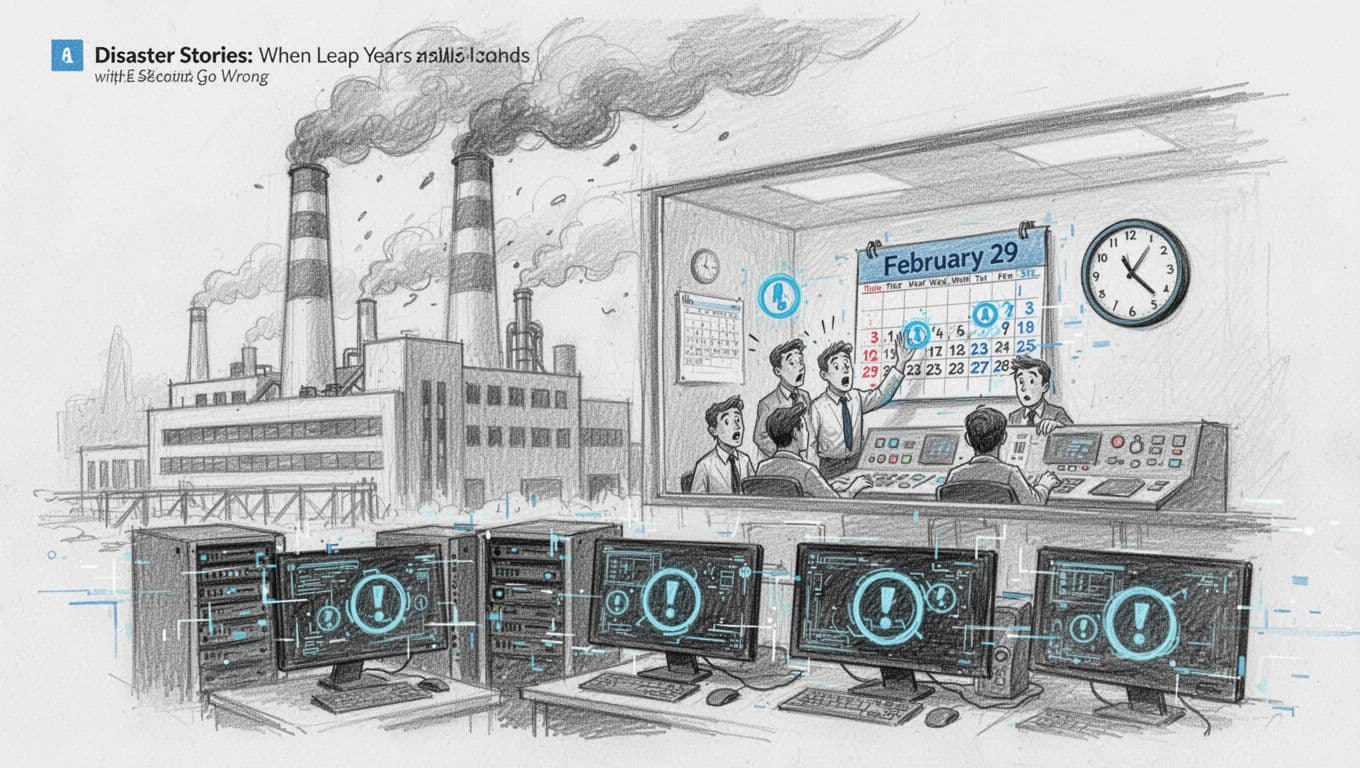
The takeaway: time bugs feel rare until you’re the one staring at the outage dashboard. Then they feel painfully obvious. So, plan for the edge cases now, while you still have time to fix them.
Avoiding These Pitfalls in Your Own Code
If you want leap year and leap second handling without crashes, your goal is boring reliability. Build it like you build guardrails for a mountain road: subtle, everywhere, and hard to forget.
Start with these practical habits.
- Use standard date and time libraries
Don’t hand-craft leap rules or “add a day” using naive math. Use the language’s date types so February 29 stays real, not imaginary. - Write unit tests for the actual edge points
Include tests for:- February 29 on valid years (like 2024)
- February 29 on non-leap years (like 2023), expecting an error or a clean “invalid” path
- Rollover tests, like
2024-02-29 + 1 day => 2024-03-01Also test century years (like 1900, 2000, 2100). Those catch the “divisible by 4” traps.
- Monitor NTP behavior, not just “system time”
Leap seconds and time slews can change how clocks advance. Track your NTP daemon status and logs, and confirm clients behave as expected under load. A solid reference point is Network Time Protocol Best Current Practices (RFC 8633). - Never assume time always moves forward by a fixed amount
If your code sorts events, uses timers, or computes durations, handle the possibility of clock steps or rate adjustments. Treat timestamps as ordering inputs, not as guaranteed monotonic steps.
In other words, set your code up to survive the moment the calendar adds an extra box, and the moment the clock tries to stay honest. Your future self will thank you.
The Future: Will We Ditch Leap Seconds Soon?
If you’ve ever wondered whether we’ll stop adding leap seconds, you’re not alone. In fact, the push to change UTC timekeeping has been moving for years. The basic idea is simple: keep atomic time steady, and stop forcing it to match Earth’s spin with sudden second inserts.
Still, this change is not a flip you can flip overnight. It touches global clocks, telecom systems, navigation, finance, and any app that cares about exact time order. So the question becomes, when will the world switch, if it ever does?

The 2022 UN push: End leap seconds by 2035 (What that really means)
In 2022, international timekeeping groups backed a plan to stop adding leap seconds to UTC by 2035. After that, UTC would be allowed to drift farther from solar time, instead of receiving new “extra ticks” to stay close to Earth rotation.
Here’s the core tradeoff. Leap seconds keep UTC more aligned with the planet’s wobble. But they also create moments where some systems see weird time jumps. If you stop leap seconds, you get smoother behavior for software, at the cost of larger differences from Earth time.
As of March 2026, this switch is still in talks, with no change in UTC yet. One practical reason is that consensus takes time. Another reason is that the world already has workarounds, including NTP smearing and careful timestamp logic.
For the official policy direction behind the current plan, see BIPM’s Resolution 4 (2022).
The future plan is less about “making clocks wrong,” and more about making them predictable.
Earth’s speedup, and why negative leap seconds came up
Earth’s rotation has been speeding up in recent years. That means, instead of only worrying about needing “extra” seconds, some experts started discussing the opposite: negative leap seconds (subtracting a second).
The idea sounds symmetrical, but software does not handle symmetry well. Removing a second changes ordering and duration assumptions just like adding one does. For that reason, the topic stays debated, and no negative leap seconds have happened so far.
So, what does this mean for system design today? It means you should not build only for “the extra second.” You should also be ready for the idea that the adjustment might go the other way, or that UTC policy might evolve.
How prepared are systems, if leap seconds disappear?
Most systems are already built with buffers and rules that can handle leap seconds, leap years, and time slews. Many rely on NTP clients that either step time or smear adjustments across a window. Because of that, they often handle leap seconds with less pain than older systems used to.
If leap seconds stop by 2035, many systems will become even calmer. Then again, removing leap seconds does not mean “no more time risk.” You still have time zones, DST rules, clock drift, and long-running systems that store timestamps in different formats.
In practice, the world looks split into two groups:
- Systems ready for either outcome
These use standard time libraries, store time in a solid format, and treat timestamp ordering carefully. - Systems that hard-code leap-second assumptions
These might treat UTC as always needing inserts, or they might assume the 23:59:60 case never changes.
The good news is that a lot of major stacks already follow the safer pattern: keep UTC handling inside trusted libraries and time services, then test the edge dates.
For a grounded discussion on UTC direction and the reasoning behind it, the NIST paper on a continuous UTC approach is a helpful reference.
What this means for tech teams building time-critical apps
If leap seconds stop, many bugs will fade. Fewer clock steps mean fewer rare events that break log ordering or scheduling. That’s the optimistic side.
But you still need to design for time uncertainty. Clocks can still jump, NTP can still adjust rates, and distributed systems can still receive events out of order.
So, even if leap seconds become history, keep these habits:
- Use trusted time libraries for date math and timestamp parsing.
- Validate inputs so impossible times do not slip into production.
- Treat “time order” as a data problem, not just a display problem.
- Test around boundaries, including UTC rollovers and historical leap-second rules.
Also, watch how your stack represents time internally. Some systems separate “wall clock time” from “monotonic time.” Others store UTC strings and hope they never need conversion. Those choices matter most when policy changes.
In short, the best future-proof approach stays the same: make time handling boring, test the edge cases, and keep your assumptions flexible. When the rules change, your system should adapt without drama.
Conclusion
Systems handle leap years by following reliable calendar rules and using real date types, not string guesses. As a result, February 29 rolls forward cleanly, schedules stay aligned, and logs sort the way you expect.
For leap seconds, the big goal is safe timing behavior in UTC. Most modern stacks depend on NTP and time services that either step or smear the adjustment, so event order does not jump even when clocks must correct.
The strongest takeaway is simple: treat time as data that can change, then test your boundaries before production does it for you. If you ship code that only works on “normal” dates, leap years and leap seconds will eventually expose it.
Before your next February 29 (and the next UTC adjustment risk window), run a focused check: update time libraries, add unit tests for leap-day and UTC edge cases, and confirm your NTP setup and logs behave as expected under load.
Next leap year after 2024 is 2028, ready?