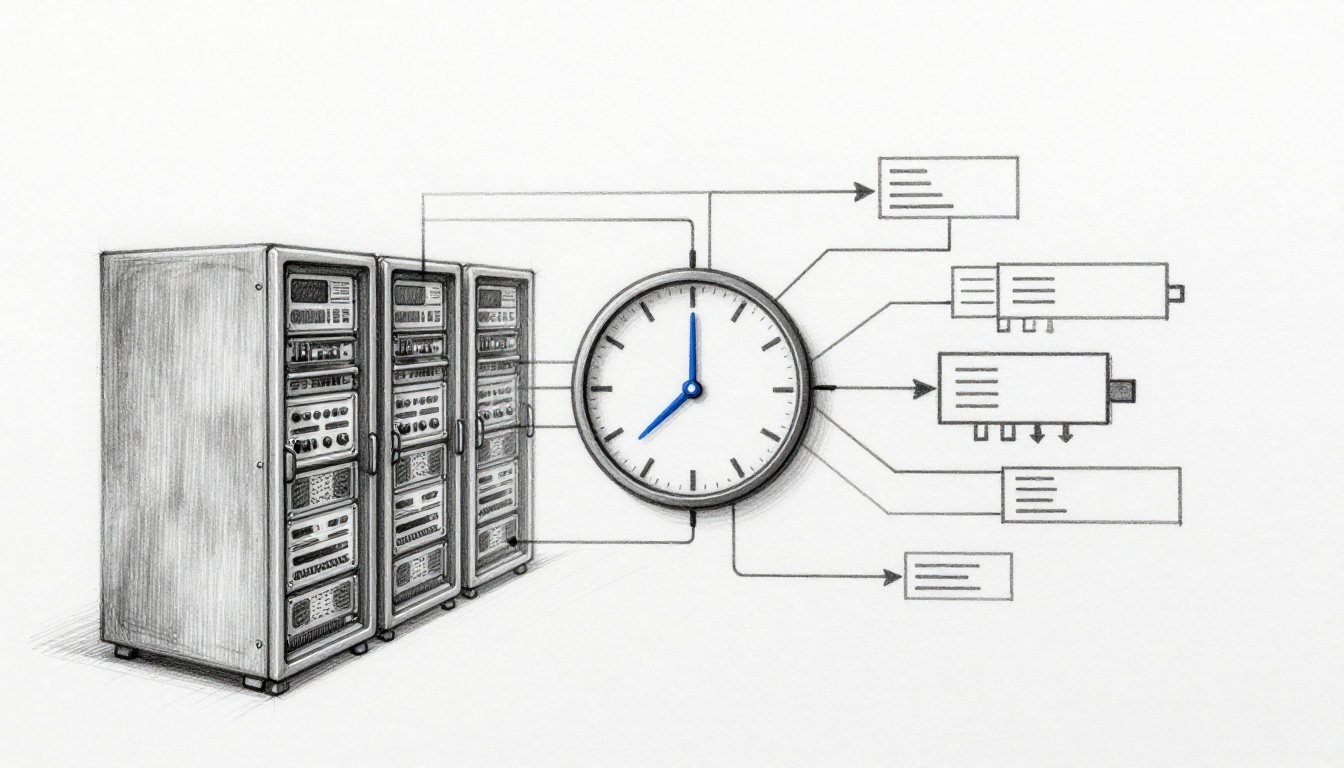
If your server clocks drift, your “same event” can look out of order everywhere else. That can break log trails, confuse security checks, and even stall time-sensitive apps. And if you’re running online banking, trading, gaming, or audit-heavy systems, the damage can be costly.
So how do servers keep time consistent across networks, even when latency changes and routes differ? The short answer is that they don’t trust their own clocks for long. Instead, they measure offset, filter bad signals, and gently steer the local clock until everything lines up.
Most teams use one of three tools: NTP, PTP, or Chrony. NTP is the common default for general internet and enterprise syncing. PTP targets much tighter precision, often in local networks. Chrony is an NTP-friendly daemon that works well on Linux and on flaky links.
This post breaks down how these systems work, where they fail, and what you can do to keep timing stable across your infrastructure.
Why Synchronized Clocks Are a Must for Networked Servers
Imagine a group of friends trying to meet. Without watches, they can still coordinate. But if each person guesses a different time, the meetup turns into a mess fast. Computers work the same way. If their clocks disagree, workflows that depend on ordering start to wobble.
First, synchronized clocks make logs trustworthy. When your monitoring system correlates events, it expects “request arrived” to happen before “request failed.” If one server runs fast, you can see false causality. Then you chase the wrong bug.
Second, time helps with security and authentication. Many systems attach timestamps to tokens, session checks, and replay defenses. If a client or server time is off, valid requests can get rejected, or suspicious ones can slip through until the next correction.
Third, distributed workloads need shared timing for correct ordering across systems. In finance and gaming, coordination often relies on tight timing windows. Even a small mismatch can cause retries, rollbacks, or race conditions. In real-time trading, industry reports now show many workloads relying on PTP for precision, with 85% of workloads using PTP instead of NTP in that space.
Fourth, drifting clocks can turn into real production pain. When app instances disagree on time, caches expire early, scheduled jobs trigger late, and databases can struggle with “last write wins” logic. You might not notice right away. However, the symptoms stack over weeks.
Finally, drift happens naturally. Quartz oscillators change speed with temperature and load. Even good hardware can drift. In other words, “perfect time” is never permanent. It’s something your systems must keep re-checking.
Clock sync isn’t just infrastructure. It’s part of your correctness and compliance story.
The good news is that NTP, PTP, and Chrony were built for this reality. They measure time differences, account for network delay, and keep servers aligned over time.
NTP: The Go-To Protocol for Everyday Time Sync
If you’ve ever seen a server automatically “phone home” for time, it was probably NTP (Network Time Protocol). It’s been in wide use for decades because it’s simple, efficient, and robust over changing internet paths.
At a high level, NTP works like this:
- Your server picks one or more upstream time sources.
- It polls them, usually with UDP to port 123.
- It measures round-trip time for each poll.
- It estimates the clock offset (how far your clock is ahead or behind).
- It steers your local clock gradually instead of snapping instantly.
NTP’s design matters because network delays vary. So it doesn’t just take one answer. Instead, it gathers samples, filters jittery measurements, and prefers sources that behave well.
If you want a solid baseline, see how NTP calculates offsets and how it uses a stratum hierarchy in this overview of the NTP protocol behavior: NTP Protocol Explained: Stratum Hierarchy, Time Sync & Clock Offset Calculation.
How the NTP “offset” estimate stays stable
NTP assumes the message travel time is roughly symmetric over short windows (not always true, but often good enough). It uses the timestamps from send and receive moments to compute:
- Delay (round-trip time)
- Offset (your clock minus the source clock)
Then it applies filtering. Bad packets and spikes get down-weighted. This is why NTP often converges even on busy networks.
Stratum hierarchy in plain English
NTP organizes servers into strata, which describe how many steps a source is from the “best” timing reference. Lower numbers mean closer to the reference.
A good mental model: think of stratum like a set of nested relay runners. The runner at stratum 1 starts from the best starting line. The relay adds time error at each handoff. As a result, higher stratum values usually bring more error.
How NTP Handles Stratum Levels and Server Selection
NTP doesn’t blindly trust the first server it hears from. It chooses sources based on quality signals.
What stratum levels mean in practice
- Stratum 1: directly tied to a high-precision hardware clock (often GPS-disciplined or atomic references).
- Stratum 2: syncs to stratum 1.
- Stratum 3 and higher: syncs to a lower-precision upstream.
You’ll often see your servers end up at something like stratum 3 in enterprise setups, especially if you run internal NTP relays. That’s normal.
To understand the hierarchy and why it exists, this guide on NTP stratum levels is a helpful reference: The different stratum levels in the NTP protocol.
How NTP picks the “best” source
NTP can use multiple upstream peers. Then it decides which ones to trust more. It uses metrics like:
- delay stability (how noisy the path is)
- estimated error (how uncertain the measurements are)
- jitter filtering (whether samples look consistent)
Meanwhile, it tries not to create loops. Deep chains can cause slow convergence or unstable behavior if the topology is messy. That’s one reason many orgs prefer a small set of internal upstream servers rather than long dependency chains.
Don’t build a “relay train.” Keep your NTP sources short and well-controlled.
NTP’s Tricks for Dealing with Network Delays
Network delay is the enemy of good time sync. So NTP leans hard on statistics.
First, NTP uses round-trip timing math to estimate offset. It then applies corrections based on observed patterns. Next, it deals with asymmetry, where the path from client to server differs from server to client.
Second, NTP uses poll intervals. It doesn’t poll constantly. If it polls too often, it wastes bandwidth and can capture more jitter. If it polls too rarely, the clock can drift too far before the next correction.
Third, NTP slews the clock. Slewing means it speeds up or slows down gradually. This prevents sudden jumps that break timestamp-sensitive apps.
In short, NTP tries to keep your system time stable even when the network isn’t.
PTP and Chrony: Precision and Modern Upgrades
When NTP isn’t precise enough, many teams move to PTP (Precision Time Protocol). PTP is designed for much tighter timing, often measured in microseconds or nanoseconds, depending on the setup.
PTP works especially well on local networks (LANs) because it can use more controlled switching and sometimes hardware timestamping. It also uses a structured model with a grandmaster clock that acts like a “network heartbeat.” For a clear explanation of grandmasters in PTP, see: PTP Grandmaster Clock.
How PTP differs from NTP
- NTP generally treats time sync as an internet-friendly best-effort process.
- PTP treats timing as a precision job for controlled networks.
PTP uses a master selection process. Once a grandmaster is chosen, clocks exchange sync and delay messages to compute a correction. Hardware timestamps can reduce the error caused by OS scheduling and packet buffering.
Chrony’s role: better NTP behavior on Linux
Chrony is an NTP-based time sync solution that aims to work well under real conditions: intermittent links, variable latency, and systems that sleep or wake.
Chrony often shines because it can converge quickly after startup. It can also track clock drift more intelligently than older default setups.
In many Linux environments, chrony is also the default NTP implementation. For example, Rocky Linux documentation describes chrony as the default and how it replaces legacy ntpd: Configuring chrony – Rocky Linux Documentation.
2026 reality check
As of 2026, Chrony remains widely used because it’s practical on servers and clusters. PTP is common where microsecond-grade timing matters. NTP and Chrony stay common where millisecond timing is enough.
PTP’s Grandmaster Magic for Sub-Millisecond Accuracy
PTP’s core advantage comes from how it coordinates timing inside a network.
A typical PTP deployment follows a pattern:
- A grandmaster clock is selected or defined (often GPS-linked).
- Boundary or transparent clocks manage delay inside switches.
- End devices sync using message exchanges that include timing correction.
PTP can also use hardware timestamping. That means the NIC captures the time when the packet hits the wire. Therefore, the OS delay won’t skew measurements as much.
In a lab or factory network, PTP can reach very low error. In many cases, you’ll only get the best results when you use wired links and the right NIC support. Over random WAN links, PTP can become inconsistent because the physical network isn’t under your control.
Also, PTP profiles matter. Some profiles assume certain link types. So you should match your devices’ configuration to your physical network design.
Why Switch to Chrony for Better Performance
Chrony often beats classic ntpd setups when timing conditions change.
Here’s why:
- Faster initial sync: if a host boots after being offline, it doesn’t need a long “warm up” before becoming accurate.
- Drift prediction: Chrony models how the clock’s rate changes over time.
- Smarter handling of delay: it can respond quickly when latency shifts.
Another real-world feature is how Chrony handles time step changes. Some systems smear leap seconds. That means instead of jumping, they spread small corrections over time. As a result, time-sensitive apps can keep running without sudden shifts.
On the flip side, Chrony still needs good sources. If your upstream time is unstable, Chrony can’t invent accuracy. It only helps you sync better to what you’re given.
Common Pitfalls and Pro Tips for Rock-Solid Sync
Even with the right protocol, time sync can still go wrong. Most failures come from drift, network delay, or security gaps.
A quick look at typical failure causes
Clock sync breaks when measurements get corrupted. That can happen from:
- CPU load or VM scheduling changes
- asymmetric routing (delay on the path differs)
- congested links and packet loss
- misconfigured NTP pools or wrong stratum sources
- lack of authentication (time spoofing risks)
Also, leap seconds can surprise systems. Some apps assume minutes have a certain number of seconds. Chrony and other modern tools handle leaps more smoothly, but the rest of your stack still needs to cope.
This matters for audits too. If event timestamps disagree between systems, your evidence gets messy. In security and compliance frameworks, clock sync shows up as a control expectation. For a practical compliance view, see: How to Implement ISO 27001 Annex A 8.17 Clock Synchronization.
A practical comparison: NTP vs PTP vs Chrony
Here’s a quick guide to choose based on your precision needs.
| Need | Best fit | Typical timing behavior |
|---|---|---|
| Internet and general server sync | NTP (with NTS) or Chrony | Milliseconds, stable with filtering |
| Sub-microsecond in controlled LAN | PTP | Microseconds to nanoseconds (with hardware support) |
| Linux servers on real networks | Chrony | Fast convergence, stable slewing |
The takeaway: choose based on precision needs and network control, not on vibes.
Battling Clock Drift and Latency Head-On
Start with drift. Quartz clocks change rate with temperature and aging. Also, VMs can add jitter. That’s why you should monitor not just “is it synced,” but also how it’s synced.
Look for:
- steady offset behavior over time
- stable jitter and delay
- frequent time corrections (too many can indicate problems)
Next, focus on latency. If your server polls across multiple hops with varying congestion, NTP math becomes noisier. Therefore, it’s usually better to keep time sources close.
If you run VMs, consider syncing at the host layer and/or using stable time practices for guest systems. For troubleshooting-focused guidance on drift on Ubuntu, this walkthrough can help: How to Troubleshoot Time Drift on Ubuntu Servers.
Securing Your Time Sync Against Attacks
Time sync can be attacked. An attacker who can spoof a time source can shift your clock. Then many checks become unreliable.
Two risks show up often:
- Delay manipulation: tricks the offset calculation by affecting path timing.
- Replay attacks: reuses old timestamp messages to confuse clients.
So you should secure time traffic. For NTP specifically, NTS (Network Time Security) is a major upgrade. It adds cryptographic protection to NTP exchanges.
For guidance on NTP security practices, including threats and defenses, this APNIC write-up is a strong starting point: Securing NTP.
In addition, avoid using random public pools for high-stakes systems. Instead, run internal sources where possible. Then harden them.
An action checklist you can use this week
- Use at least two internal upstream servers to reduce single-point failures.
- Prefer Chrony or NTPv4, with good defaults and monitoring.
- Enable authentication (NTS for NTP, proper protections for PTP where available).
- Keep poll intervals sane (don’t over-poll under congestion).
- Split responsibilities: use PTP only for the segments that need it.
- Audit leap behavior across your stack (apps, databases, log tools).
Conclusion: Keep Time Tight by Choosing the Right Protocol and Guardrails
When you first notice time drift, it feels random. Yet most timing problems come from predictable causes: drift, delay, and missing protections.
NTP, PTP, and Chrony each solve a piece of the puzzle. NTP is great for common server syncing, PTP wins for precision in controlled networks, and Chrony often delivers better behavior on real Linux systems. However, the protocol won’t save you if your sources are unstable or unauthenticated.
Audit your setup now. Check your chrony or ntpd status, verify upstream quality, and add redundancy. Then ask the simple question behind the whole topic: does every critical server agree on the same time, every day?
If you’ve been through a time sync incident, share what failed and what fixed it in the comments.