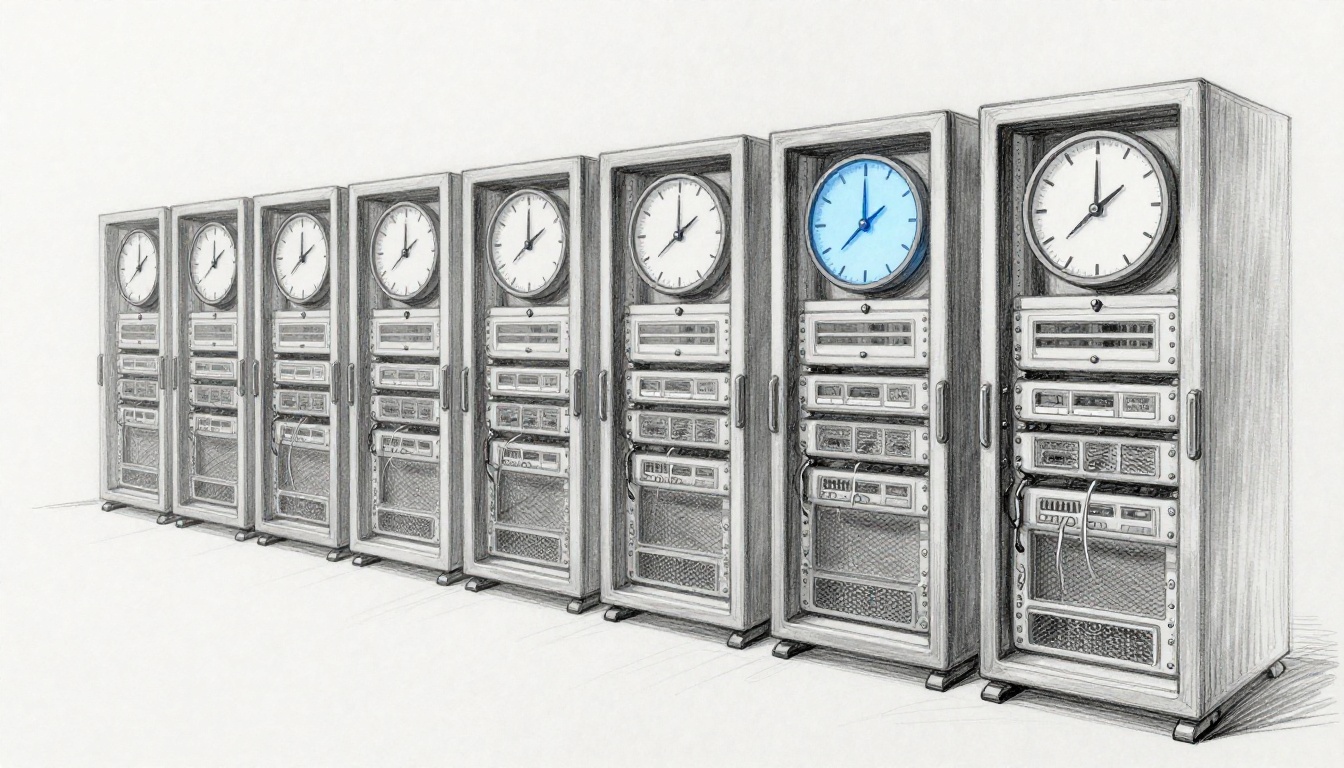
What happens when time systems are not synchronized? Chaos, fast. In 2012, Knight Capital lost about $440 million in 45 minutes after a trading software glitch caused runaway orders. Time and timestamps were part of the chain of failure, because trading systems depend on exact timing to decide what order comes first, and what should be ignored.
Most people never think about clock alignment until something breaks. Still, many modern systems quietly assume that “now” means the same thing everywhere. When computers, servers, and devices disagree by even seconds, you can get wrong order placement, messed-up logs, and confusing failures across teams.
Here’s the big idea. In March 2026, the US daylight saving time change on March 8 at 2 a.m. can amplify clock drift consequences. Even when devices auto-adjust, edge cases can leave parts of your stack using different time rules for a short window.
This is why unsynchronized time isn’t a minor glitch. It can trigger big financial hits, safety problems in critical systems, and slower cyber incident response. Next, you’ll see the everyday causes, the real-world damage, and the practical fixes that reduce time sync failures before they start.
Everyday Reasons Clocks Fall Out of Sync
Clocks drift for lots of reasons, but they usually fall into a few familiar buckets. Sometimes it’s as simple as a cheap clock losing seconds. Other times it’s software that skips syncing, or networks that delay time signals.
In 2026, there’s an extra pressure point. DST changes can stress systems that store time zone rules, or systems that run on stale software images. Also, faster networks can ironically worsen timing problems, because more systems act on events sooner. That means a small mismatch can create a big sequence of wrong decisions.
Hardware Drift and Cheap Clock Problems
Every laptop, server, router, and phone has a clock. Many also keep a “best effort” estimate between sync updates. If that hardware clock drifts, the system can look correct for a while, then suddenly becomes wrong.
Think of it like a wristwatch that runs slow. If you check it daily, you won’t notice. If you schedule something for a specific moment, you will.
Common real-world examples include:
- Old machines that rarely reboot and never get refreshed time services
- Devices that sleep for long periods, then wake up without updating correctly
- Virtual machines that inherit time behavior from a host that’s already drifting
On the server side, the issue gets worse. Distributed systems compare event times across many machines. If one cluster node is off by a few seconds, an entire workflow can get reordered. In finance and ops, that can mean the difference between “process this” and “ignore this.”
A quick tip for spotting early drift: check time accuracy across at least two layers. Compare system time on an app server, the OS time service status, and the time you see in logs. If they disagree, you’ve got a sync problem, not a logging problem.
Network Glitches That Delay Time Signals
Time sync often relies on NTP (Network Time Protocol) or related methods. These systems grab time from trusted sources across the network. If packets get delayed, dropped, or blocked, the sync can fail or “correct” too slowly.
Imagine sending mail during rush hour. The destination still gets the letters, but the delivery time stops matching your plan. In time sync, the plan matters. Systems assume time signals arrive at the right moment.
Network delays can happen during:
- Congestion spikes (especially during large updates)
- Misconfigured firewalls that block NTP traffic
- Asymmetric routing, where responses take a different path
- Oversized NTP requests during outages (leading to retries and timeouts)
In practice, time sync can look fine until the network gets busy. Then you see time jumps, “time stepped” messages, or gradual drift that only shows up when two services interact.
Daylight Saving Time’s Sudden Jumps
DST is a frequent trigger because it changes how local time maps to UTC. In the US, DST starts on the second Sunday in March. For 2026, that jump happened on March 8 at 2 a.m. local time, when clocks moved forward to 3 a.m.
Most modern OSes and apps update quickly. However, not every system does. Some keep old time zone rules. Others run on containers or VM images that haven’t been patched. Still others depend on human-set devices that forget the change.
When DST misalignment hits, you can see:
- Logs with missing hours or duplicated timestamps
- Scheduled jobs running an hour off
- Audit trails that no longer line up across teams
If you work with global teams, DST adds another layer. Even if each local system adjusts correctly, you still need consistent UTC usage for cross-region comparisons.
Financial Losses That Hit Like Lightning
Markets reward speed, but they also punish ambiguity. When timestamps don’t match, systems can misread what happened first, what should be canceled, or what should be ignored.
Trading systems often require split-second accuracy. They use timestamps to enforce order rules. If clocks drift, the system might route orders down the wrong logic path.
In Knight Capital’s case, a software glitch caused unexpected trades. The story became famous because the damage escalated from a mistake into a near-disaster within minutes. Reporting at the time describes a trading mishap that cost the firm $440 million. You can read the account in Knight Capital Says Trading Glitch Cost It $440 Million.
The lesson isn’t that “one clock caused everything.” It’s that unsynchronized timing creates wrong decisions at scale.
Knight Capital’s Quick $440 Million Fall
Picture a trading system that thinks it’s operating normally. Now picture one component acting as if the event time is different. That can cause the system to treat orders like they’re new, eligible, or not yet processed.
In the Knight Capital incident, the firm faced runaway behavior that it couldn’t stop fast enough. The result was a fast-moving financial collapse that showed how quickly automation can turn timing errors into money loss.
For today’s readers, the key takeaway is practical. Even if your trading logic is solid, your time data pipeline must be trusted. Otherwise, the system may “prove” the wrong story using timestamps.
Also, recovery gets harder. When time stamps don’t line up, teams can’t easily reconstruct the timeline of actions. They spend more time arguing about “when” instead of fixing “why.”
Why Exchanges Demand Split-Second Accuracy
Exchanges and market infrastructure rely on exact ordering rules. Many systems use timestamps to:
- Determine priority for orders
- Detect duplicates
- Apply cancel-and-replace rules
- Trigger risk controls
Even small drift can matter. A system that differs by milliseconds can still change which order gets filled first. Then profits, losses, and compliance reporting all shift.
Here’s the uncomfortable truth. Your models might be right, but your timestamps can still make the output wrong.
If you’re building or operating investment systems, clock discipline is part of correctness. In other words, time sync failure is not an “IT problem.” It becomes a business problem.
Safety Scares in Skies, Grids, and Hospitals
Time isn’t just a date on a calendar. It’s how safety systems coordinate actions. When time drifts, sensors can disagree about what happened, and protection systems can react at the wrong moment.
Even when nobody gets hurt, safety incidents create huge costs. They also create fear that makes people stop trusting alerts.
The scary part is that time mismatch can be invisible at first. Everything still runs. Then you get the wrong sequence under stress.
Airplanes Off Course from Tiny Time Errors
Modern navigation depends on global signals, including GPS. If time is off, position and timing calculations can degrade. That can affect guidance accuracy and reliability.
Also, timing issues don’t always come from clock drift inside the aircraft. They can involve interference and spoofing risks, too. The FAA publishes guidance that covers GNSS interference and the operational impact of jamming and spoofing, in GNSS Interference Resource Guide.
The hopeful part: aviation has layered safeguards. Still, timing errors can add stress when combined with real-world conditions like weather or dense traffic.
In plain terms, if a system can’t trust time, it can’t trust “where” and “when.” That’s why pilots and avionics teams treat time quality seriously.
Blackouts and Medical Mix-Ups
Power grids run on tight coordination. Many systems use timestamps for monitoring, protection logic, and event logging. If time is off, logs can mislead operators during a fault.
Even if time mismatch doesn’t directly cause a blackout, it can slow down diagnosis. The result is slower recovery and more risk during restoration.
For context on grid failure investigation, see the Final Report on the August 14, 2003 Blackout. That report details how complex systems fail under multiple pressures, and why data accuracy matters.
Hospitals face similar issues. Wrong timestamps can:
- Misorder patient chart events
- Confuse medication administration records
- Delay alerts that depend on event timing
In healthcare, “minutes” matter. Time drift doesn’t always cause harm immediately. But it can make the safety net weaker.
Bottom line: in safety systems, time mismatch turns a small data flaw into a slow, risky response.
Cyber Doors Unlocked by Wrong Timestamps
Cybersecurity teams rely on logs to answer hard questions. When did the access start? What changed first? Which system sent the command?
If time stamps are wrong, logs stop telling a clean story. Attackers don’t need to “break” time services. They only need your timeline to be messy enough that response slows down.
Also, identity systems can fail when time differs. Many authentication protocols assume clocks stay close. For example, Kerberos commonly requires time sync within a narrow window, so an offset can block real logins and delay investigations.
Even when an outage isn’t caused by time sync, time mismatch makes it worse. It adds confusion during incident response, because engineers can’t line up events across systems.
For a concrete example of a large-scale Windows software outage, the US CISA published details about the Widespread IT Outage Due to CrowdStrike Update. The incident shows how fast updates can disrupt large fleets, and how hard it can be to recover when many systems behave differently at once.
Logs That Lie and Hide Attacks
Wrong timestamps can make it look like an attack “disappeared.” In reality, the events are there, but they’re out of order.
That breaks common investigations like:
- Correlating alerts across SIEM tools
- Matching authentication logs to endpoint activity
- Rebuilding “what happened when” after a breach
If one server runs slow, it can appear that malicious activity happened after a patch that should have prevented it. That can send response teams down the wrong path.
Failed Logins for Real Users
Time drift can also create false alarms of a different kind. Users complain they can’t sign in. Security teams see authentication errors. Yet the root cause may be plain: clocks drifted, so tokens don’t validate.
That can trigger a chain reaction. Teams reboot systems, change configurations, and apply fixes. Meanwhile, the time issue stays unfixed, and the lockouts keep returning.
A good defense is boring and reliable: regularly check time sync health. Monitor for time steps and offset changes. Then treat drift as a real incident, not background noise.
Fresh Lessons from 2026 Warnings
March 2026 is a reminder that timekeeping rules don’t sit still. DST changes happened on March 8 in the US, and even small timing mistakes can ripple through schedules, logs, and alerts.
There are also policy debates in the background. In recent years, lawmakers have floated plans to change DST behavior or make it permanent. If those proposals ever change local time rules, system updates must keep up fast.
So what should you do right now?
First, reduce reliance on “it usually syncs.” Instead, confirm sync health at three levels: device, host, and service. Then verify that logs carry a consistent time basis like UTC.
Second, update time zone data regularly. For systems that depend on tz rules, stale packages can cause real mismatches during seasonal changes.
Third, prefer strong time sources where possible. Atomic clocks and GPS timing can help critical environments. In many cases, the simplest fix is better NTP discipline, plus monitoring that alerts you when offsets grow.
Finally, test around DST. Run a “time sync drill” before the March shift. Check scheduled jobs, auth flows, monitoring dashboards, and log correlation.
One strong move: treat DST weeks like launch weeks. Verify time sync, then verify again.
Conclusion
When time systems are not synchronized, you don’t just get wrong timestamps. You get wrong decisions, wrong order, and slow recovery.
The Knight Capital story shows how quickly timing and automation can turn into major financial loss, and why time sync failures matter beyond IT. Safety systems, too, depend on trust in time, because coordination is how risk gets managed. Cyber teams feel it when logs stop lining up and incident response gets harder.
If you want one takeaway, make it this: time sync discipline prevents chaos. Check your sync health today, especially around DST transitions in March. Then share what you find with your team, because the next failure usually starts quietly.