
Have you ever joined a video call and heard audio that felt “off” by a beat? Or checked a bank transaction and wondered how the system knows what happened first? That feeling usually comes from something mundane: clocks drifting out of sync.
Internet time synchronization is the process that keeps computers and devices sharing the same accurate time. It’s not just for science labs. It supports log files, secure sign-ins, scheduling, and even how systems prove events happened when they say they did.
In this guide, you’ll learn what time sync means, why it matters, how NTP works step by step, what “stratum” really implies, and what to use when you need better accuracy or stronger security.
Why Accurate Time Sync Keeps Our Digital World Running Smoothly
Time sync helps many systems agree on a shared timeline. When clocks drift, small problems can snowball. Logs stop lining up. Alerts fire at odd times. Certificates can fail during the exact minute they expire.
Here are a few everyday examples:
- Troubleshooting logs: If one server’s clock is 10 minutes off, it can look like the error started on the wrong machine.
- Secure logins and certificates: Many security checks depend on exact time. If a device’s time is wrong, a certificate can look “not valid yet” or “expired.”
- Smart homes and coordination: Schedules depend on time. So do systems that compare sensor readings across devices.
- Financial actions: Payment and trading systems timestamp events. Even short drift can complicate audits.
Zoom-style calls, email timestamps, and scheduled jobs all rely on a steady clock. In practice, computers use UTC (Coordinated Universal Time) as the global reference. UTC gives everyone a common “ground truth,” even when you’re in different time zones.
One more reason matters a lot: time sync helps systems stay consistent and trustworthy. A consistent timeline makes it easier to detect fraud, diagnose failures, and match events across networks.
For a solid overview of how NTP keeps time close to UTC, see how NTP works.

How NTP Works: The Step-by-Step Guide to Internet Time Magic
Most internet time synchronization uses NTP (Network Time Protocol). NTP has been around since the early days of the internet, and it still does the job well.
At a high level, NTP works like this: your device asks a trusted time server for the current time, then it adjusts its clock based on measured network delay. Since networks aren’t perfectly stable, NTP keeps checking and refining its clock.
A helpful mental model is a fast clock check with round-trip timing. Your device sends a message. The server notes what time it received that message. Then the server sends its response. Your device notes when it received it. By comparing those timestamps, it estimates how far off your clock is and how much delay happened in transit.
NTP uses a client-server model with four key timestamps often labeled T0 to T3:
- T0: the moment the client sends the request.
- T1: the moment the server receives it.
- T2: the moment the server sends the response.
- T3: the moment the client receives the response.
With those values, the client calculates two things:
- Offset: how much your clock differs from the server’s clock.
- Delay: how long the message likely took, including network travel.
Then the client “disciplines” its clock. Instead of snapping the time instantly, it moves gradually. That helps avoid weird effects for applications that assume time moves smoothly.
NTP also uses polling intervals. Some systems poll every few seconds. Others poll every few minutes or even hours. If the network is stable, long intervals can work. If it isn’t, shorter polls help accuracy.
Finally, NTP doesn’t blindly trust one server. It selects from multiple candidates and prefers sources that behave reliably. That selection step matters because “the best” time server is usually the one with low delay and consistent responses.
Stratum Levels: The Hierarchy from Atomic Clocks to Your Device
NTP servers don’t all sit at the same “trust and accuracy” level. They’re organized into stratum levels.
Think of it like a pyramid:
- Lower stratum numbers usually mean the server is closer to a very accurate source.
- Higher stratum numbers mean the server got its time from other servers.
For example:
- Stratum 1 servers connect to highly accurate references like atomic clocks or GPS receivers.
- Stratum 2 servers sync from Stratum 1.
- Stratum 3 sync from Stratum 2, and so on.
Your device usually ends up syncing from nearby servers, which helps reduce delay. This also spreads the load across the internet.
If you want a clearer look at the stratum hierarchy and how it supports offset calculations, this breakdown of NTP’s structure is helpful: NTP stratum hierarchy.
The Client-Server Exchange: What Happens Behind the Scenes
Let’s walk through one full NTP sync cycle using the T0 to T3 timestamps.
Your client starts by sending a request. On the server side, two moments get recorded. First, the server records T1 when it receives the packet. Then it records T2 when it’s about to send the reply. Those timestamps matter because the server’s job includes accounting for its own internal processing time.
Meanwhile, your client records T0 at send time and T3 at receive time.
Once the client has all four timestamps, it estimates:
- How off the client clock is compared to the server.
- How much time the network probably spent carrying the request and response.
Then comes the “magic” part: the client adjusts its clock in a stable way. If it only applied one adjustment, your clock could jump around. Instead, NTP smooths updates over time.
Also, NTP often queries multiple servers and averages results. If one server responds late, NTP can treat it as less trustworthy for that cycle. In other words, it looks for sources that match expectations.
This is why your device can still stay accurate even when parts of the network wobble.

NTP Accuracy: Milliseconds Over the Web and What Limits It
How close can NTP get? Usually, it’s “good enough” for most uses.
Typical accuracy looks like this:
- Wide internet: often tens of milliseconds in real conditions.
- Local networks (LANs): can be under 1 millisecond with good setup.
However, accuracy depends on more than the protocol. The biggest limits come from the network itself.
Common sources of error include:
- Network delay variability (jitter): delays change from one packet to the next.
- Congestion: traffic bursts stretch round-trip times.
- Asymmetric paths: the route from client to server can differ from server to client.
- Server quality: some servers respond slower or less consistently.
Even with those limits, NTP still shines because it keeps measuring and correcting. For tasks like logging, basic scheduling, and security checks, that level of precision usually holds up.
NTP can’t fix a broken network. It only measures what it can and reacts accordingly.
For higher precision, other protocols exist, especially for controlled local networks.
Alternatives to NTP: When You Need More Precision or Security
NTP is widely used for a reason. It works across the internet and it’s flexible. Still, it isn’t the best fit for every situation.
You might look at alternatives if you need:
- Microsecond accuracy inside a lab, factory, or trading system
- Better resilience when the network is flaky
- Stronger protection against spoofing and fake time sources
Here are three common options people discuss:
- PTP (Precision Time Protocol) for very high precision on local networks
- Chrony as a modern NTP replacement in many Linux setups
- Roughtime as a crypto-focused approach to time validation
If you want an at-a-glance comparison of why PTP differs from NTP, this guide is a useful reference: PTP vs NTP key differences.
PTP: Precision Time for Factories and Finance
PTP (IEEE 1588) targets much higher precision than traditional NTP. Instead of focusing on millisecond-level sync over the wide internet, PTP is designed for tight timing inside local networks.
In well-built setups, PTP can reach microsecond accuracy. That’s the kind of detail systems need when tiny time differences matter, like:
- industrial control loops
- power grid coordination
- 5G and mobile network timing needs
- high-frequency trading event ordering
One key reason PTP can hit that precision is the environment. PTP often relies on hardware timestamping and network designs that reduce delay variation.
Still, PTP usually comes with more setup work. It often needs careful configuration of network devices and timing paths.
So the trade is simple: more precision and more complexity, mostly for local environments.

Chrony and Roughtime: Modern Twists on Time Sync
In many real deployments, Chrony runs instead of the older NTP daemon. Chrony is popular because it handles common issues better.
For example, it can react quickly when the network starts up, returns from an outage, or changes conditions. Also, it’s often easier to use on machines that don’t have steady connectivity.
In the March 2026 updates, one major theme is security and modernization. Ubuntu has been testing a Rust-based time sync tool called ntpd-rs. The goal is to unify tools like NTP, NTS, and PTP syncing in one program. Testing is planned for Ubuntu 26.10, with a wider default rollout targeted for 27.04.
At the same time, Chrony continues to improve. In 2024 it moved forward with features like rate limiting and better support patterns. By 2026, the direction is clear: keep NTP compatible, while improving stability and safety.
Then there’s Roughtime, which focuses on cryptographic ways to validate time. It’s designed to reduce the chance that a fake server can trick a client. It tends to be simpler than some high-precision setups, though it may not match PTP’s raw precision.
One important security upgrade for NTP-based systems is NTS (Network Time Security). Classic NTP sends time data in ways that can be attacked. NTS adds authentication so clients can verify the time source.
To see why NTS matters and what attackers do, APNIC covers the topic in a practical way in Securing NTP.
If you care about security, plain NTP is not enough. NTS adds proof that the time came from the source you asked for.
Everyday Uses, Common Problems, and 2026 Updates
Time synchronization shows up everywhere, even when you never think about it.
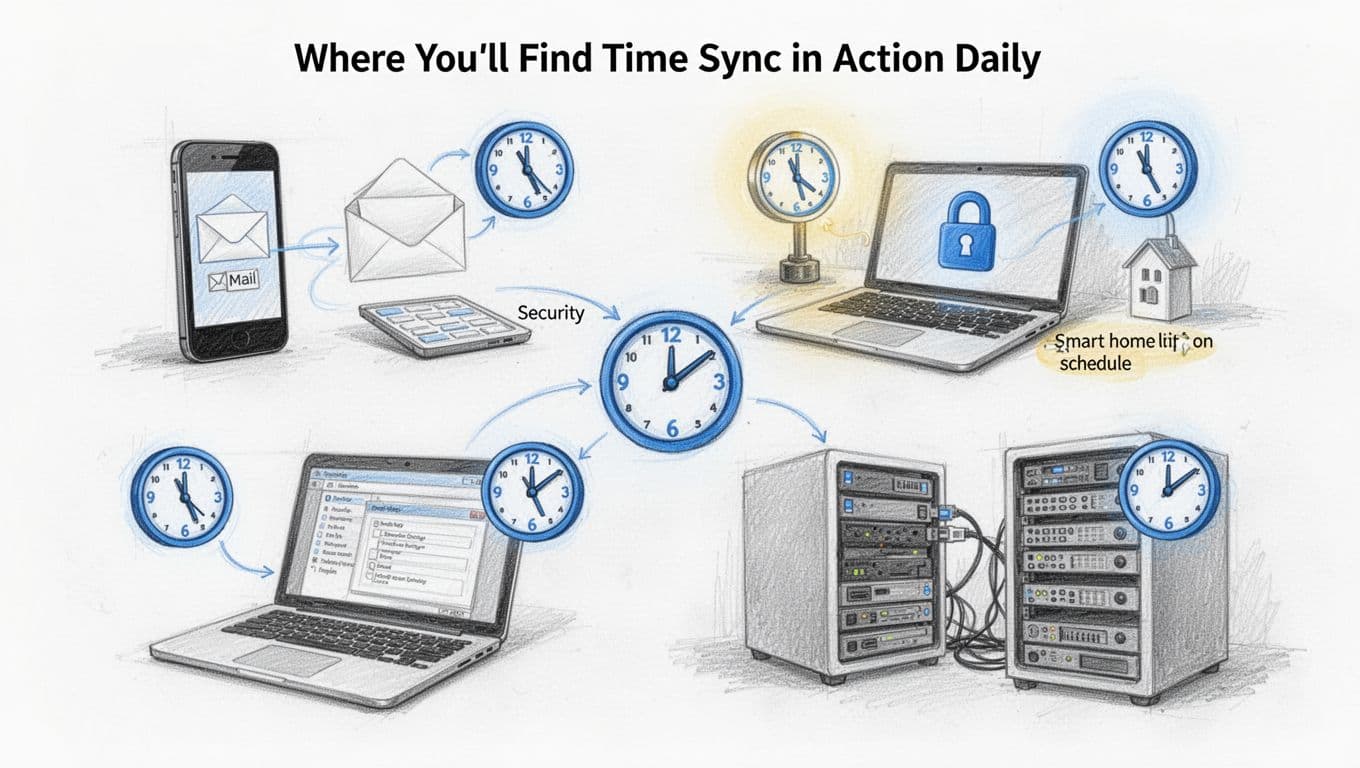
Where You’ll Find Time Sync in Action Daily
Here are places that depend on synchronized time:
- Email and messaging: correct send times, delivery ordering, and thread sorting
- Security events: logins, certificate checks, and intrusion detection timelines
- Task scheduling: backups, updates, cron jobs, and time-based rules
- Edge computing: coordinating devices when latency and order matter
- Debugging: mapping symptoms to real event order across services
Most phones, laptops, and servers sync time in the background. When it works, everything just lines up. When it fails, you notice it in odd places like “impossible” log sequences or failed certificate validation.
Pitfalls Like Delays and Attacks and Simple Fixes
Time sync can break in predictable ways. Most issues come from delay, poor server choices, or security threats.
Network problems include jitter and congestion, which can cause the client to pick a wrong offset. Attacks include spoofing, where someone tries to feed a fake time source.
There’s also the practical issue of time zones. Many people think NTP “sets time zones.” It usually doesn’t. Your operating system handles time zones. NTP mainly sets the reference time, typically UTC.
Here are simple fixes that help in the real world:
- Use multiple time sources instead of just one server.
- Prefer local or nearby servers for better delay behavior.
- Enable NTS when you can, especially on public or hostile networks.
- Check time status tools on your device (for Linux, commands like
chronycortimedatectlare common). - Monitor for leap-second behavior if your apps are sensitive to time jumps.
On public networks, attackers may try to overload time services. Good NTP setups use rate limiting and other protections to reduce harm.
If you want a quick sanity check on whether NTS is working, this page explains NTS security and provides a test angle: is your NTP secure?.
What’s Fresh in Time Sync as of March 2026
Time sync keeps evolving, especially around security and modern tooling.
Based on recent updates:
- NTS keeps expanding, including work on securing PTP via NTS4PTP. That matters for networks that mix timing needs.
- Chrony continues steady updates, with enhancements that help it stay stable across real network conditions.
- LAN accuracy stays strong, with sub-millisecond performance achievable when the local design is right.
- Ubuntu’s direction is modernization: ntpd-rs is planned to reduce risk and unify capabilities across NTP/NTS and PTP syncing.
The biggest takeaway isn’t that NTP is disappearing. It’s that time sync is becoming more secure and easier to run safely in the environments people actually deploy.
Conclusion
Internet time synchronization keeps your devices aligned, so logs match, security checks succeed, and schedules behave as expected. NTP makes this happen by measuring timestamps, estimating offset and delay, and adjusting your clock in a smooth, stable way.
When you need more than NTP provides, options like PTP and modern NTP alternatives like Chrony can offer better precision or better behavior. And for security, NTS helps protect against fake time sources.
If you suspect a clock issue, check your device’s time sync status and confirm your time source settings. What’s the most annoying symptom you’ve seen when clocks drift out of sync?